Installing Linux is straightforward, but some settings are critical; otherwise, errors will occur.
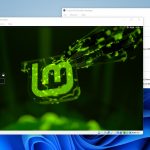
In this article, I will install Linux Mint 22 ‘Zara’ Cinnamon Edition inside Windows 11 using Oracle’s VirtualBox 7.0.
System requirements:
When you first boot, Linux Mint starts a live session. Then click install.
Linux comes in the form of an ISO image (an .iso file), which can be used to create a bootable DVD or USB drive, and in this instance, is added as a virtual CD-ROM.
The files needed to run inside Windows 10 / 11 / 12 to download is VirtualBox
From version 20 onward, only 64-bit is available.
| Cinnamon | 2.7GB | 64-bit | Sleek, modern, innovative edition desktop |
| MATE | 1.9GB | 64-bit | Stable, robust, traditional edition desktop |
| Xfce | 1.8GB | 64-bit | Light, simple, efficient edition desktop |
If you have an INTEL processor, then get the FREE Intel® Hardware Accelerated Execution Manager software.
To make a Bootable USB stick for installing fresh onto a computer, the following software can do it – RUFUS / Etcher / Unetbootin
Not noticed before, but EndeavourOS 22 (based on Arch Linux) has appeared up in the TOP 10.
Platforms keep shifting the goalposts for independent creators. Discover how past policy wipes and the…
The internet used to be a mirror of human experience—a place to connect with friends,…
Bose SoundTouch UK trade-in scheme exposed as a "corporate trap" stripping consumer statutory rights and…
Premium tech should last, but Bose ruined my pristine SoundTouch system by pulling the plug…
Samsung’s Galaxy S26 is landing in customers’ hands, delivering major camera upgrades, next‑gen AI, and…
The Tefal OptiGrill Elite elevates home cooking with smart sensors, guided touchscreen controls, and automated…
This website uses cookies.
